

Operations & Maintenance - from alert to scheduled in seconds.
A multi-site industrial operations command centre - live equipment health, work orders, technician workload, and alerts across every plant and yard on one screen. When a machine goes down, raise and assign a work order from the alert in a single pass.

In a lot of industrial operations, breakdowns, jobs, and inspections are tracked on paper, phone calls, and someone's memory. Management can't see what's down, what's due, or who's on it - and a critical alert can sit unactioned because raising a work order is a chore.
This command centre makes the whole operation visible - equipment health, work orders, technician workload, and alerts - and collapses the alert-to-scheduled path into one flow, so a critical alert becomes an assigned, scheduled work order in seconds.
The whole operation, on one screen.
Live KPI tiles
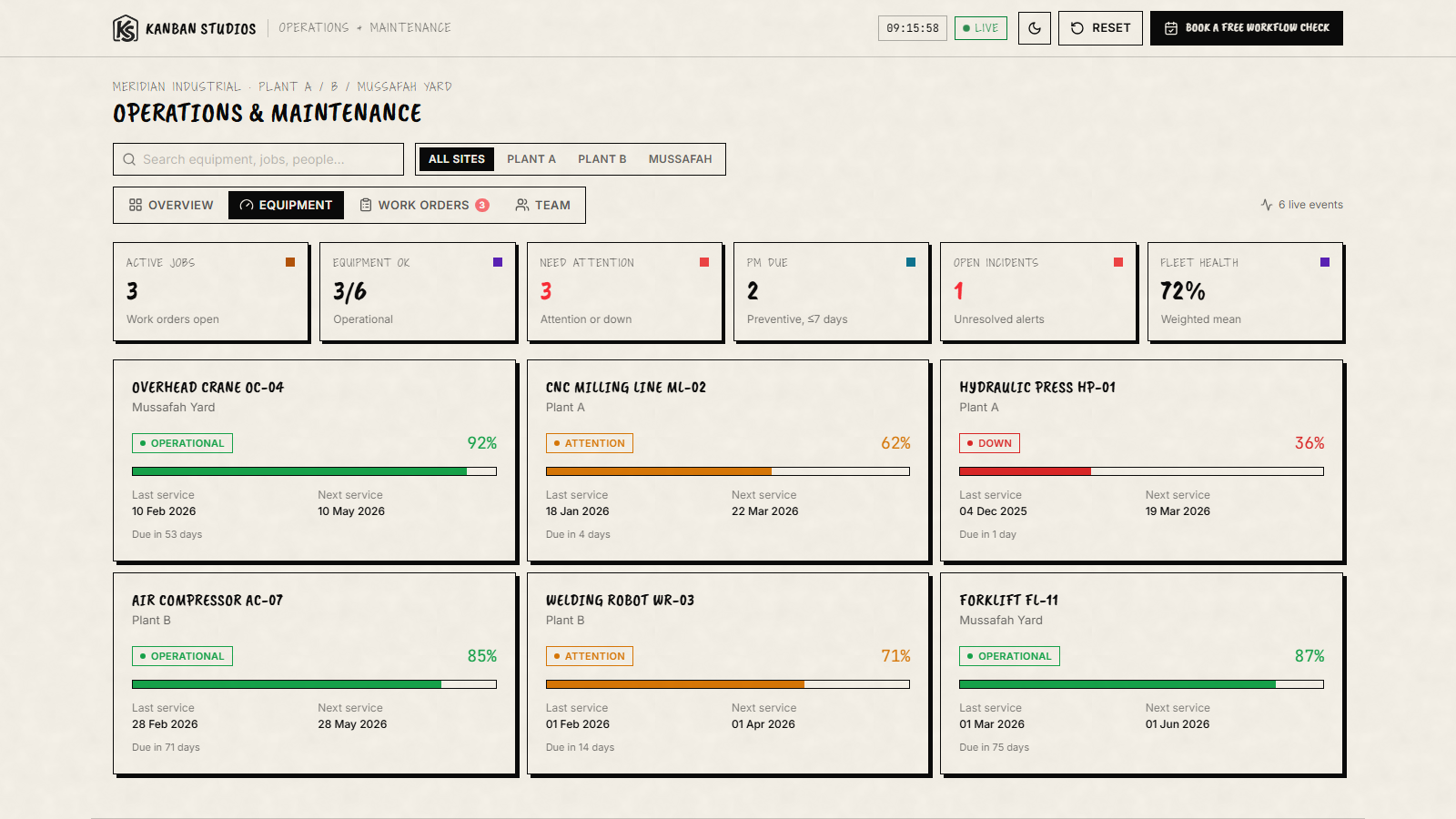
Active jobs, equipment operational, needs-attention, preventive maintenance due, open incidents, and fleet health - the pulse of the operation up top.
Multi-site filtering
Switch between all sites, Plant A, Plant B, or the yard - the whole board re-scopes so a site lead sees only their world.
Equipment-health cards
Every unit with a live condition bar, state (operational / attention / down), and next-service date - problems surface before they become breakdowns.
Live alerts feed
Critical, high, and medium alerts with acknowledge actions - the things that need a human, ranked by how much they matter.
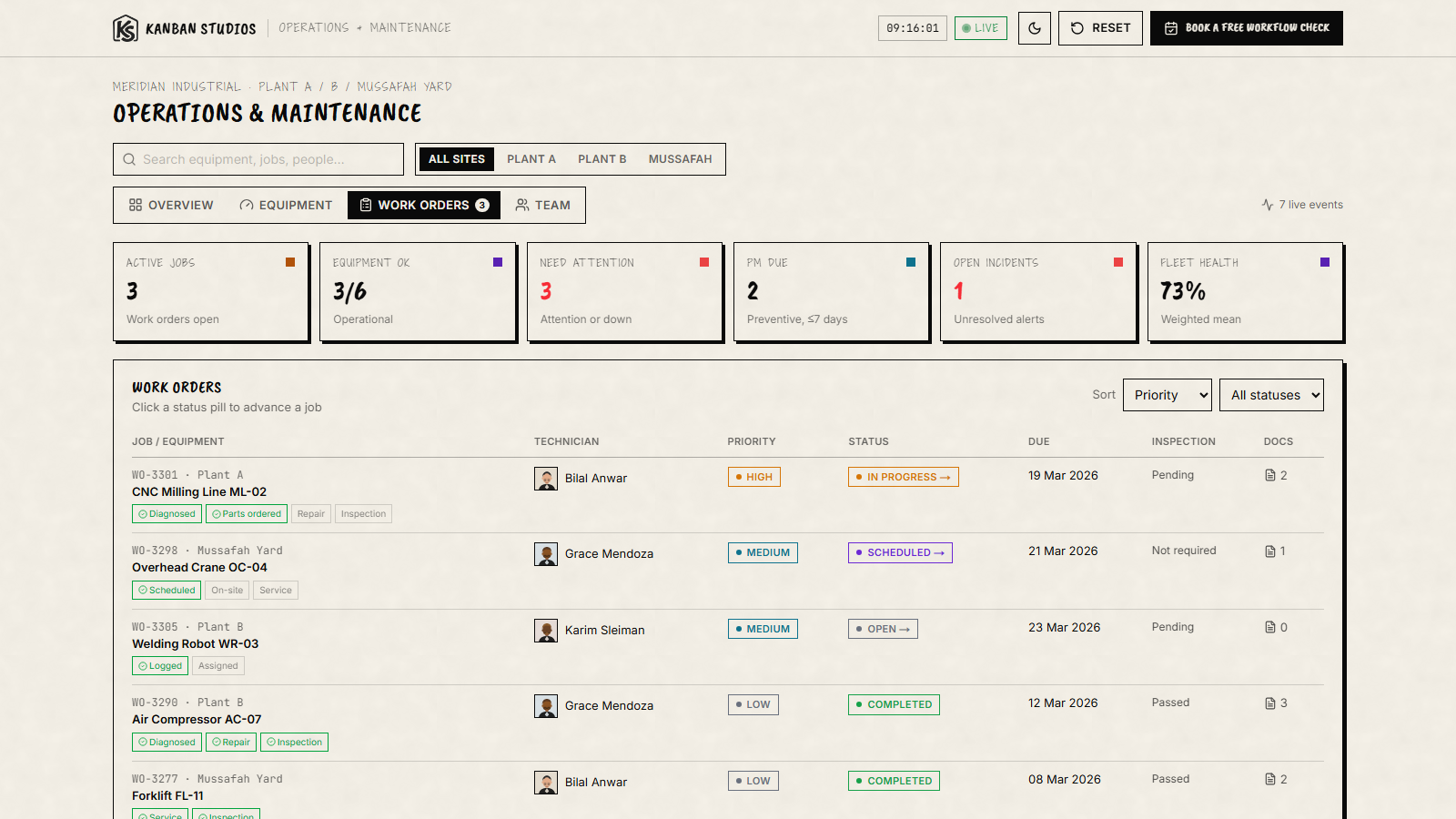
Work-order board
Job number, site, equipment, technician, priority, status, due date, inspection status, and documents - the full work-order lifecycle in a table.
Maintenance trends
Preventive-vs-breakdown trend and downtime-by-equipment charts, so you can prove maintenance is working - or find the unit that keeps failing.
A critical alert becomes a scheduled job.
The signature flow: a critical alert fires (a hydraulic press below safe pressure), you open it, click Create work order, assign the right technician, set it to Scheduled, and the whole team can see it's handled. No phone tag, no lost job.
Management sees the operation. Technicians see their list.
When equipment health, work orders, and alerts share one screen, breakdowns stop hiding in someone's inbox. Management gets a live picture of uptime and workload; technicians get a clear, prioritised queue - and preventive maintenance actually happens on time.
The work behind Operations & Maintenance Command Centre
A multi-site industrial command centre: equipment-health cards, an acknowledgeable alerts feed, and an alert-to-work-order flow that raises and assigns the job in one pass.
Services this build draws on
- Dashboards & Internal ToolsYou can't run what you can't see. We build dashboards, admin panels, and internal tools that give your team a clear, real-time view of the numbers that matter - and the controls to act on them.Read the service page
- Custom SoftwareWhen off-the-shelf software almost fits but never quite does, we build the system that does. Web apps, internal tools, portals, and APIs on dependable, maintainable foundations - software you own and can grow into.Read the service page
- AI Workflow AutomationWe design AI-assisted workflows that remove the manual, repetitive steps slowing your team down - with a human in the loop wherever judgement matters. Built around how your business already works, not a template.Read the service page
